Exploring Design Workflows with AI and Figma Buzz
Feb 22, 2026
After watching a webinar by Superside, I was inspired to see how we could start implementing AI in our workflows at 7shifts.
I had recently been having discussions with our director of revenue generation and our Senior Demand Generation manager, around opportunities to get more paid ad variants out in the wild at any given time, so we could further optimize our ad spend.
In the previous year we had been able to send nearly $500,000 by creating an ad program with newly refreshed creative targeting every stage of our marketing funnel, released on a quarterly basis. But for each phase of our creative release we were only giving 25 ad variants. And more variants = more opportunities for us to find successful ad combinations.
My mission was simple, to find a process to automate our paid ads workflow to allow to create more ad variants without sacrificing even more time. This is where the power combo of Weavy and Figma Buzz came in. Let's take a look at each tool.
Weavy | Figma Buzz |
|---|---|
An AI workflow tool that allows you to leverage any live AI tools in a streamlined workflow, allowing you to chain different prompts together for copy creation, image generation, video, image adjustments. | The easiest way for us to bring our newly generated creatives into Figma, and to push it to a variety of sizes and formats. |
I started by creating a simple workflow in Weavy to help generate images that would fit our brand style. The idea is that anyone on our brand team could enter a small amount of creative direction into the furthest left boxes, and then Weavy's Prompt Concatenator and Prompt Enhancer would pull all of the direction into a single prompt that was optimized for AI image generation.
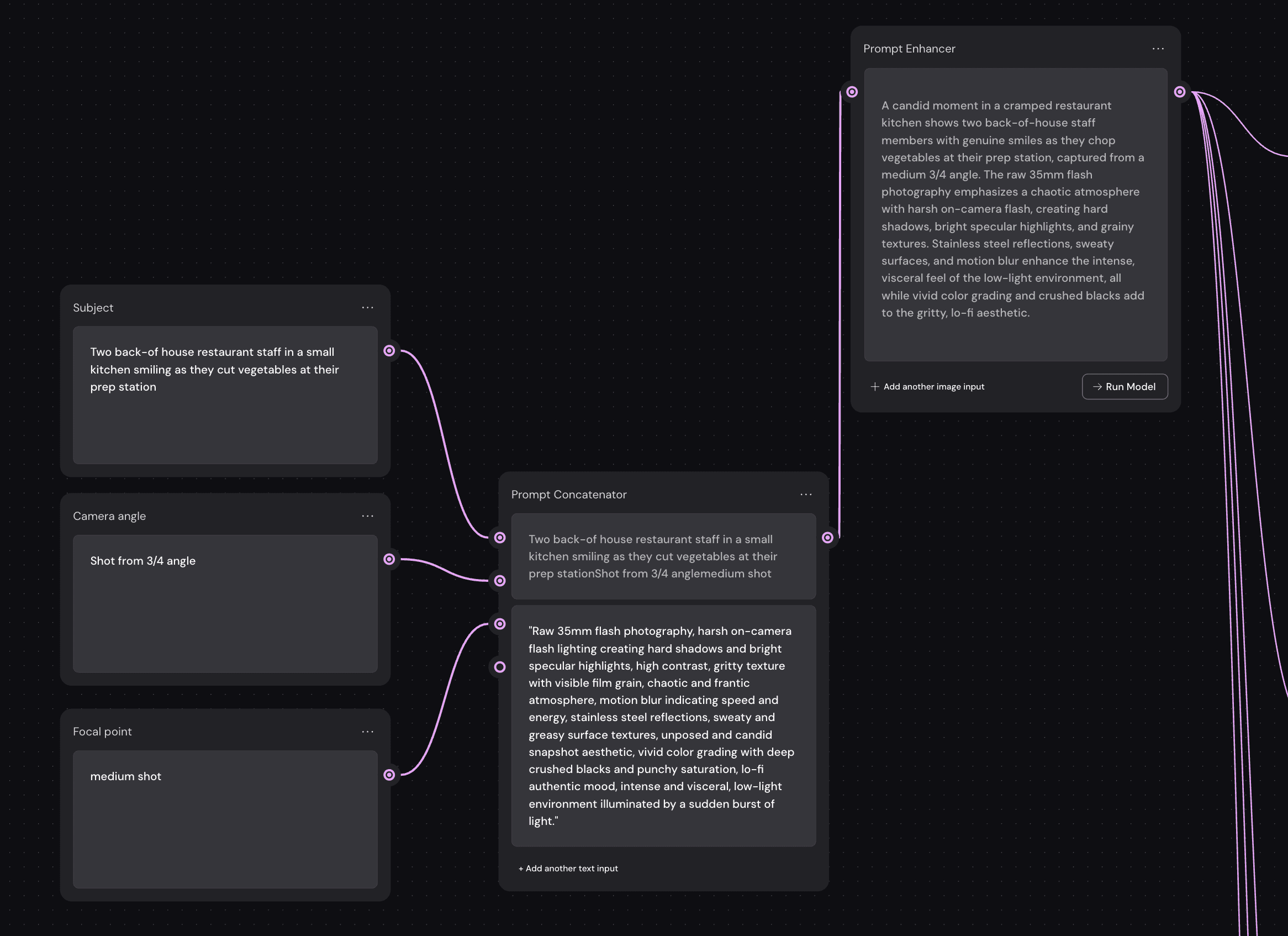
From there, I would feed the imagery into Nano Banana (through more Weavy nodes) to generate on-brand imagery. For direct flash photography, our team has found Nano Banana to provide us with the strongest results. From there, we could resize the output of each of these photos as needed, or continue to prompt for the creation of short videos as well. This provides us with some slick direct flash photos like this:
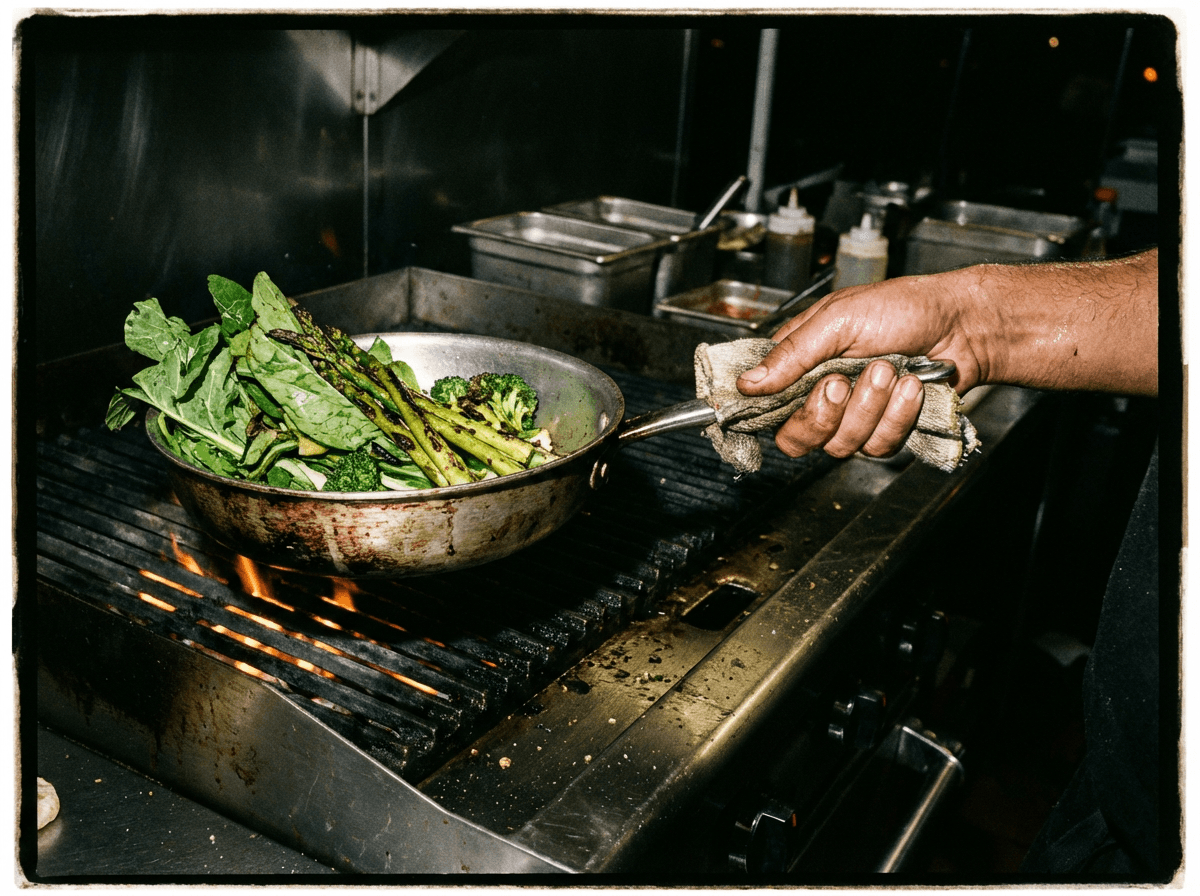
I create a series of 10-20 photos at this stage. From there, the magic really happens. We place each of these images into a spreadsheet along with copy prompts. These copy prompts can be generated by AI (or in our case, by our incredible talented copy manager!)
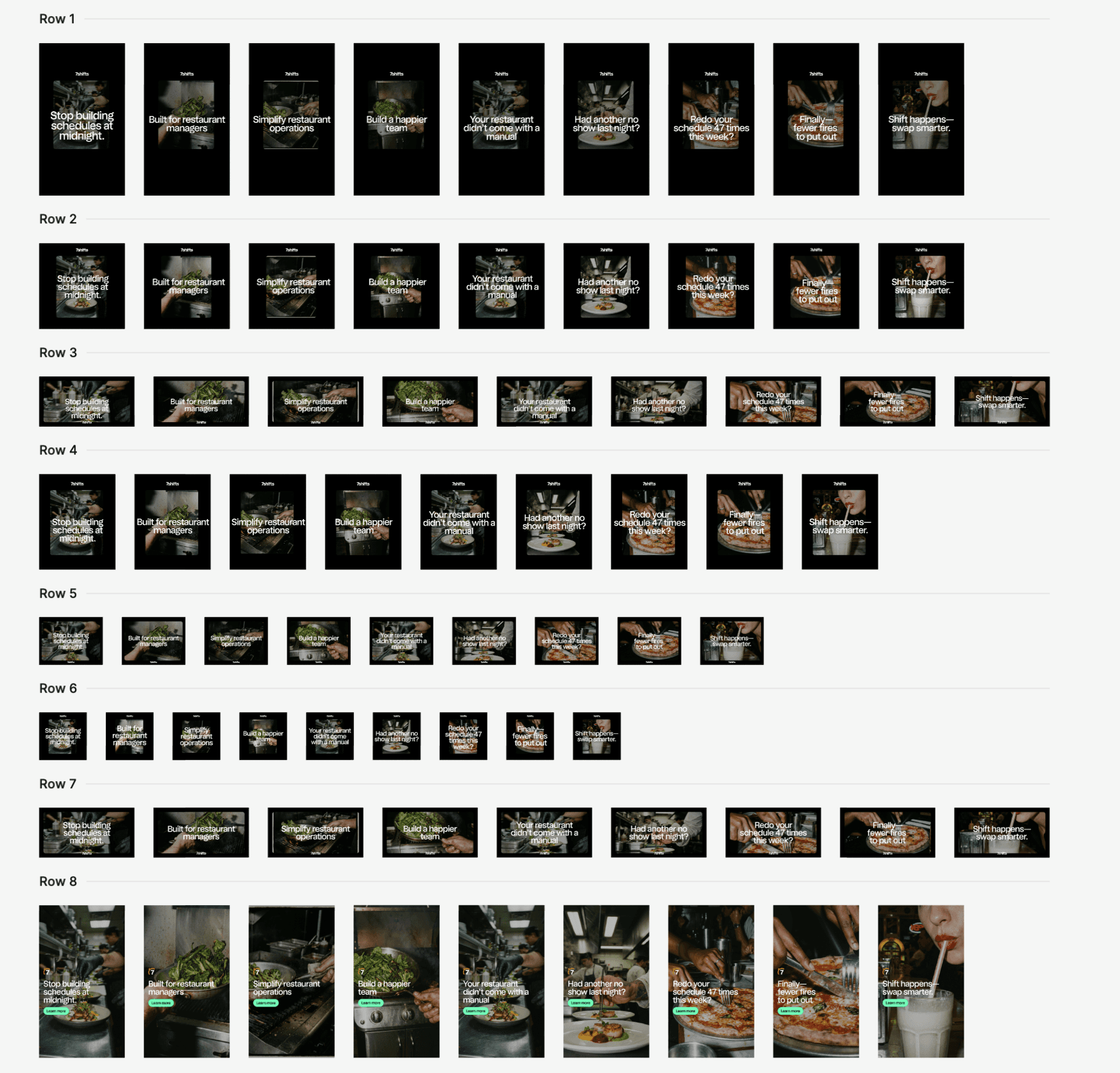
Now Figma buzz comes in: I pull this spreadsheet into presets I've hand-made in Figma buzz to create variants with all of our copy and image variants. Figma buzz will combine each combo into each one of your templates. Boom. Tons of variants with the click of a button! All of these (and many more!)
Where next?
We refresh our paid ads on a quarterly basis. Me and the demand den managers have a plan for our next phase of ad development to be done using this exact strategy. I will create some baseline templates for paid ad generation, and then we'll go through this exact process.
But make no mistakes. This process isn't going to replace all of our paid ad work. This process has limitations, in the sense that we can't take huge swings with our designs. If we want to go out there with an ad variant to test, we will still be mocking them up by hand. We can just supplement with safer, more performant ad variants built at-scale.
And in the meantime, we're continuing to explore avenues for AI (or more automated workflows) to ramp up our content output.